記事そのものへの判断・検収=9回だけ
- タイトルの選択
- 構成案へのOK/NG
- 原稿のチェックと修正指示
- ちょっとした口調・単語の修正
- 挿絵の検収
- 公開の承認
AI × WORKFLOW
AIによるあらゆる作業の自動化は、驚くほどのところまで来ています。ただし、どのAIを活用するかで得られる恩恵は全く変わります。この記事自体、私が個人契約しているClaude(Claude Code)とChatGPT(Codex)で、企画から公開準備まで一貫自動化して作った実例です。非エンジニアでも、仕組みやAIへの指示出しを学べば、見た目も中身も整ったものが作れる。そんな時代になりました。
01 — THE SYSTEM
手順書を先にAIへ渡しておけば、呼び出しひとつで工程全体が走り出す。要所の判断は人間。
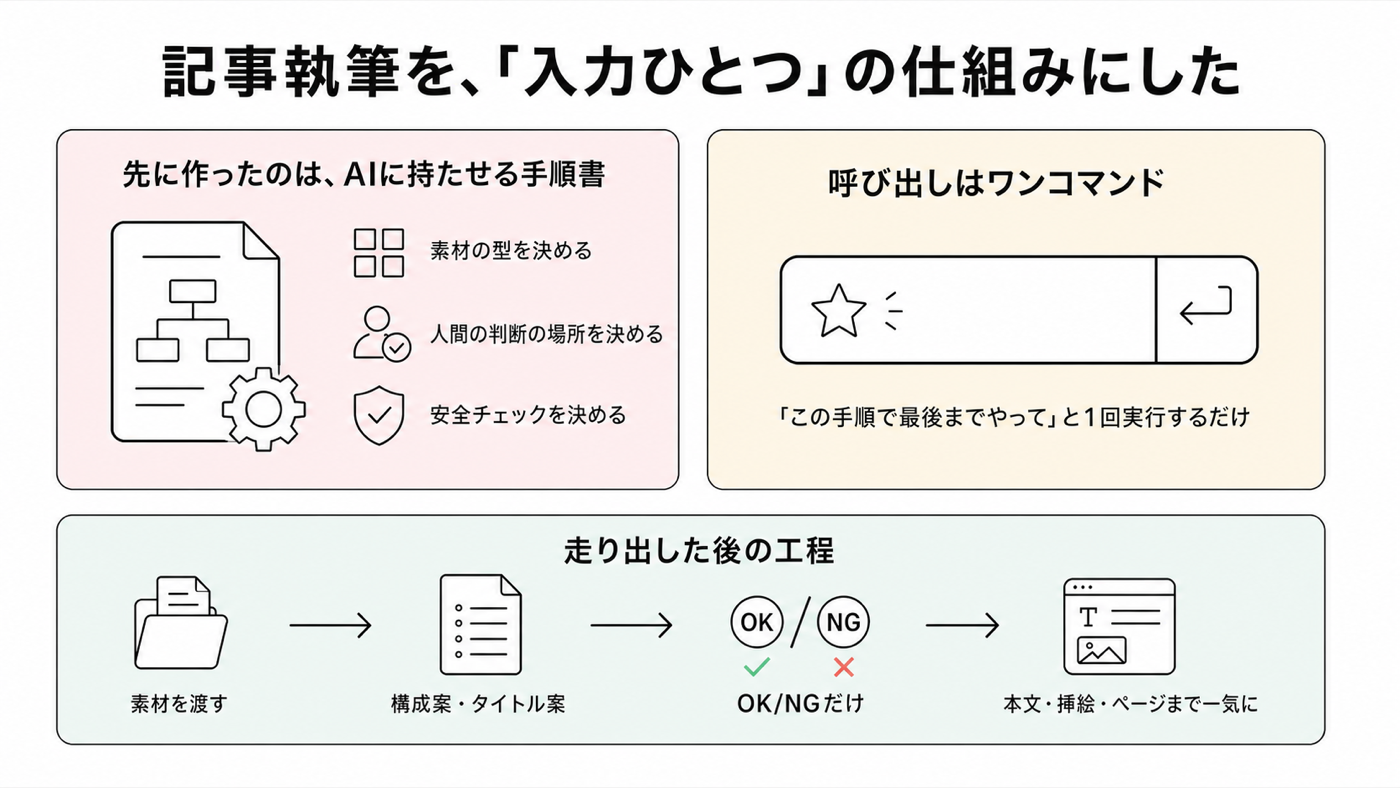
私がやったのは、AIと一緒に「記事作りの手順書」を先に組み立てることです。
事前に決めるべきことは大量にあります。でも正式な手順として確立さえすれば、あとは「カスタムコマンド」——「この手順で最後までやって」という定型の呼び出し——を1つ実行するだけ。走り出した後の私の仕事は、AIが出す構成案にOK/NGを答えること。NGのときは、どこが違うかを具体的に伝えます。
挿絵づくりでは、AIが2つ、私を介さずに連携する。人間は最後に絵を検収するだけ。
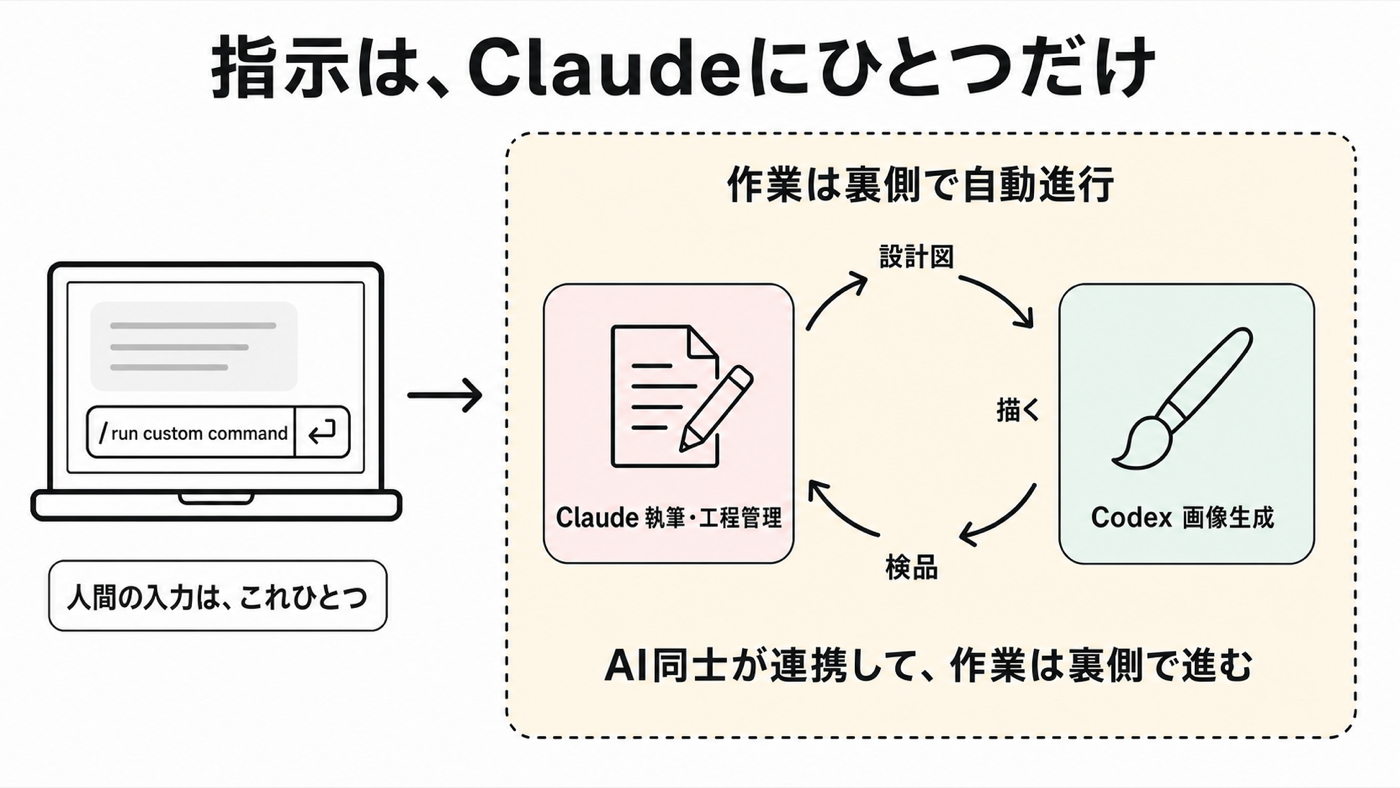
この仕組みの中では、執筆と工程管理はClaude(Claude Code)が、挿絵の生成は画像に強いCodexが担当します。Claudeが挿絵の設計図を書き、Codexが描き、Claudeが検品する——この輪は私を介さず回ります。私がやるのは、最後に「この絵でいいか」を見ることだけ。
得意な領域は、得意なAIに任せる。人間のチーム編成と同じことが、AI同士でも成立しています。
02 — MEASUREMENT
記事そのものへの判断と検収は9回。作業は文章の微修正。
この記事の制作で、人間(私)の関わりを全件記録しました。介入は「記事そのものへの判断・検収」と「仕組み側への改良指示」の2種類に分かれます。この章で数えるのは前者。後者は後半の「仕組みづくり」の章に出てきます。
03 — POSSIBILITY
エージェント型AIは、パソコンの中の「作業そのもの」を実行する。
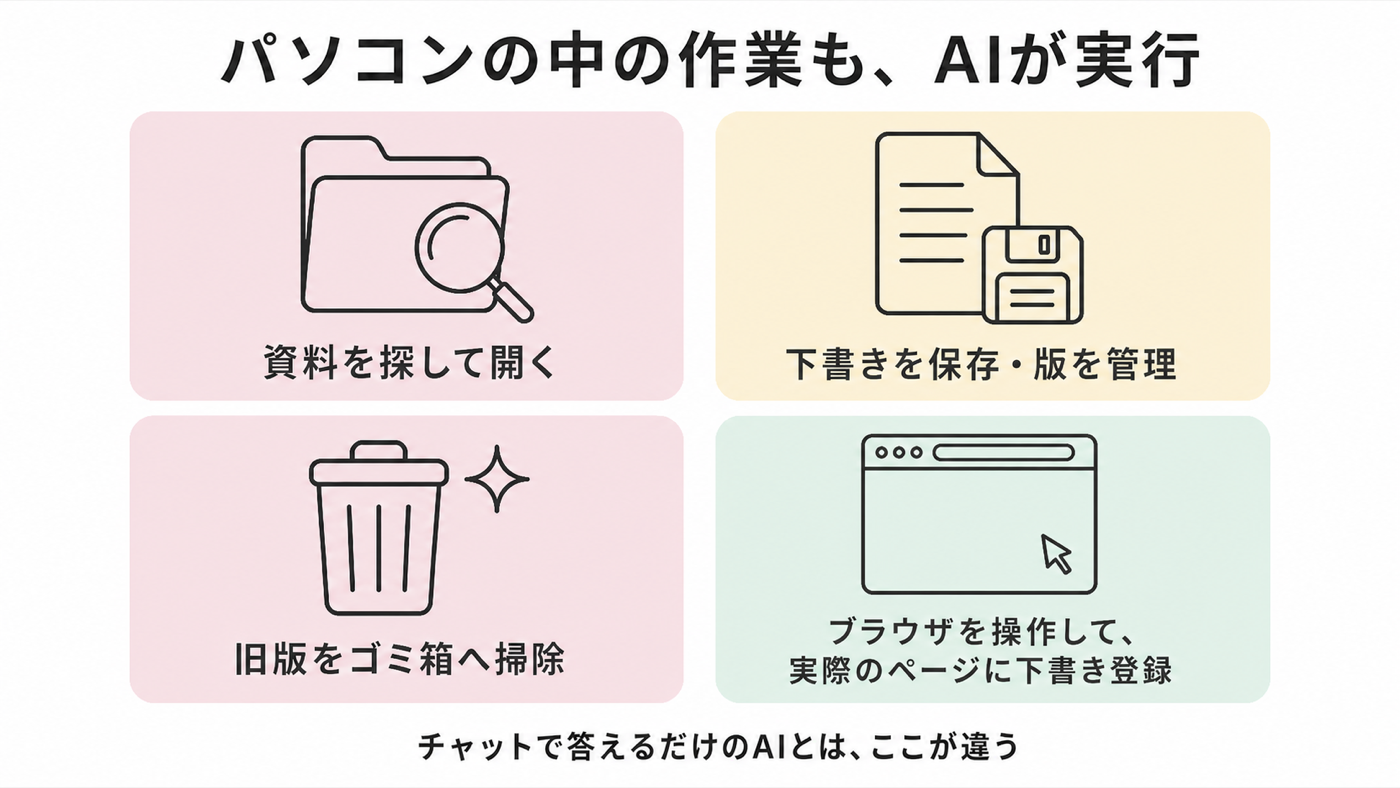
多くの人は、AIとチャットして文章を作ったり、壁打ちをしたりと、チャット活用にとどまる傾向があります。しかし私が使っているエージェント型AIは、私のパソコンの中で作業そのものを実行します。今回の制作でも——
これらは全部、AI側の仕事でした。つまり「入力→工程→成果物」の形をしたデスクワーク(資料作成・調査のまとめ・翻訳・データ整理)は、同じ型で仕組み化できます。実際、私は同じやり方で英文レジュメの分析・執筆・登録を一晩で終えました。
04 — SETUP COST
重いのは初期の設計。そこを越えたら、毎回速い。
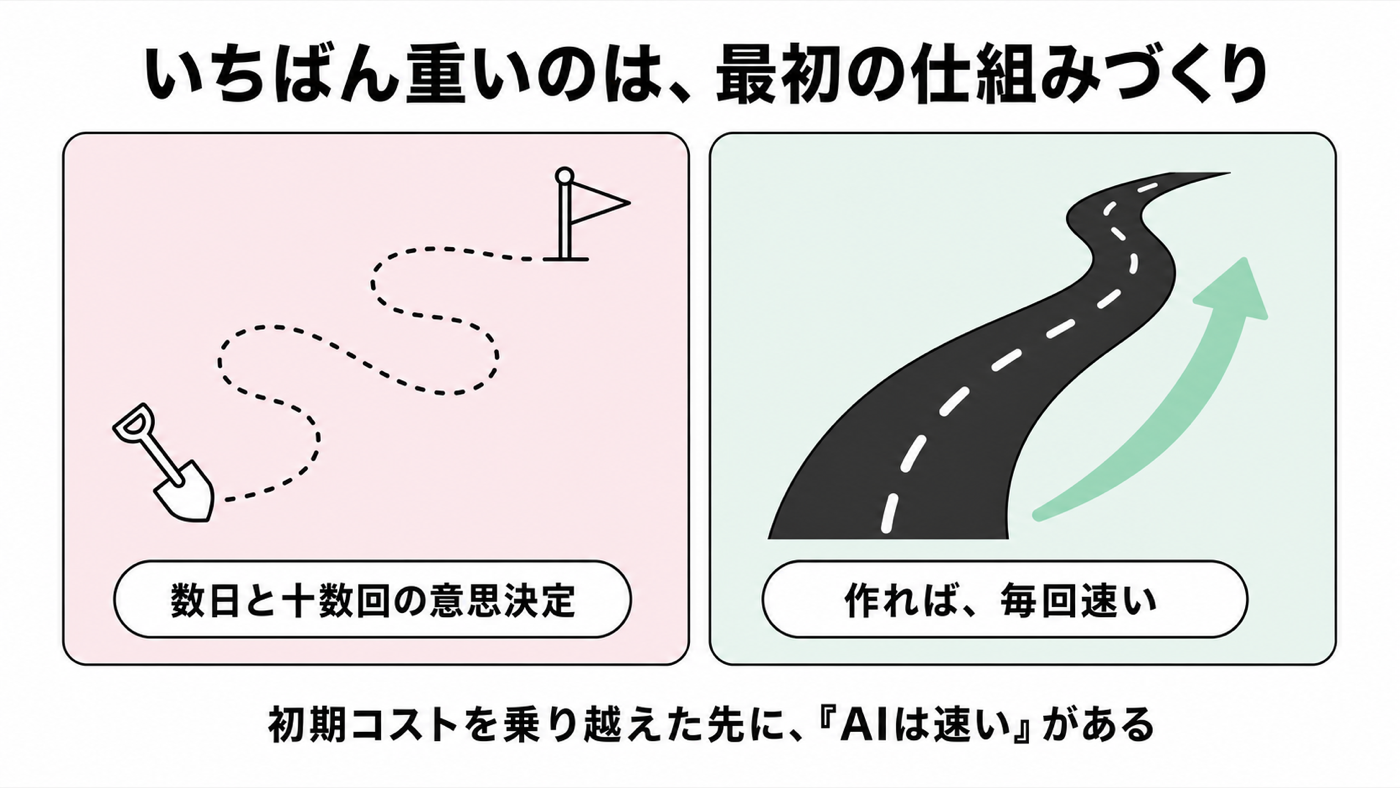
正直に書くと、本文を書く工程は速かった一方で、手前の仕組みづくりには数日と十数回の意思決定がかかっています。
実測にもそれが表れました。今回の制作で発生した人間の介入のうち、24回は記事ではなく仕組み側への改良——ルールの追加、デザイン規約の修正、計測方法の設計——だったのです。
道路にたとえると、舗装工事には時間がかかります。しかし、いったん道ができれば、その上を走るのは毎回速い。「AIは速い」「AIならできる」という話は、この初期コストを乗り越えた先にあります。
05 — CONCLUSION
会社の導入を待つより、個人で今のベストを使って学ぶ方が早い。
恩恵の大きさは「どのAIを選ぶか」と「どう仕組みに組み込むか」の掛け算で決まる——それがこの記事を作ってみての実感です。
AIの進化は本当に速く、キーボードとマウスで操作していた作業を、音声の指示ひとつで最初から最後まで実行してくれるようなAIがどんどん生まれています。一方で、多くの職場では使えるAIが限られています。セキュリティやレピュテーションリスクの議論が先行し、たとえ導入されてもそのAIが現時点のベストとは限りません。
だからこそ、個人でも使うことに意味があります。個人なら、いまこの瞬間に最先端のAIを使って学べます。
使ってみるからこそ、
これらを知ることができます。
会社が導入するのを待つよりも、今すぐAIとの試行錯誤を開始し、AIによる恩恵を存分に享受する側になるのが将来の自分への投資です。
※見解は個人のものであり、所属組織を代表するものではありません。
AI × WORKFLOW
The automation of just about any task with AI has come astonishingly far. But which AI you use completely changes the payoff you get. This very article is a working example: I built it end to end — from concept to publish-ready — using Claude (Claude Code) and ChatGPT (Codex), both on my own personal subscriptions. Even if you're not an engineer, once you learn how to design the system and how to instruct the AI, you can produce something that's polished in both look and substance. That's the era we're in now.
01 — THE SYSTEM
Hand the AI the playbook up front — one command starts the entire workflow, with human review at key checkpoints.
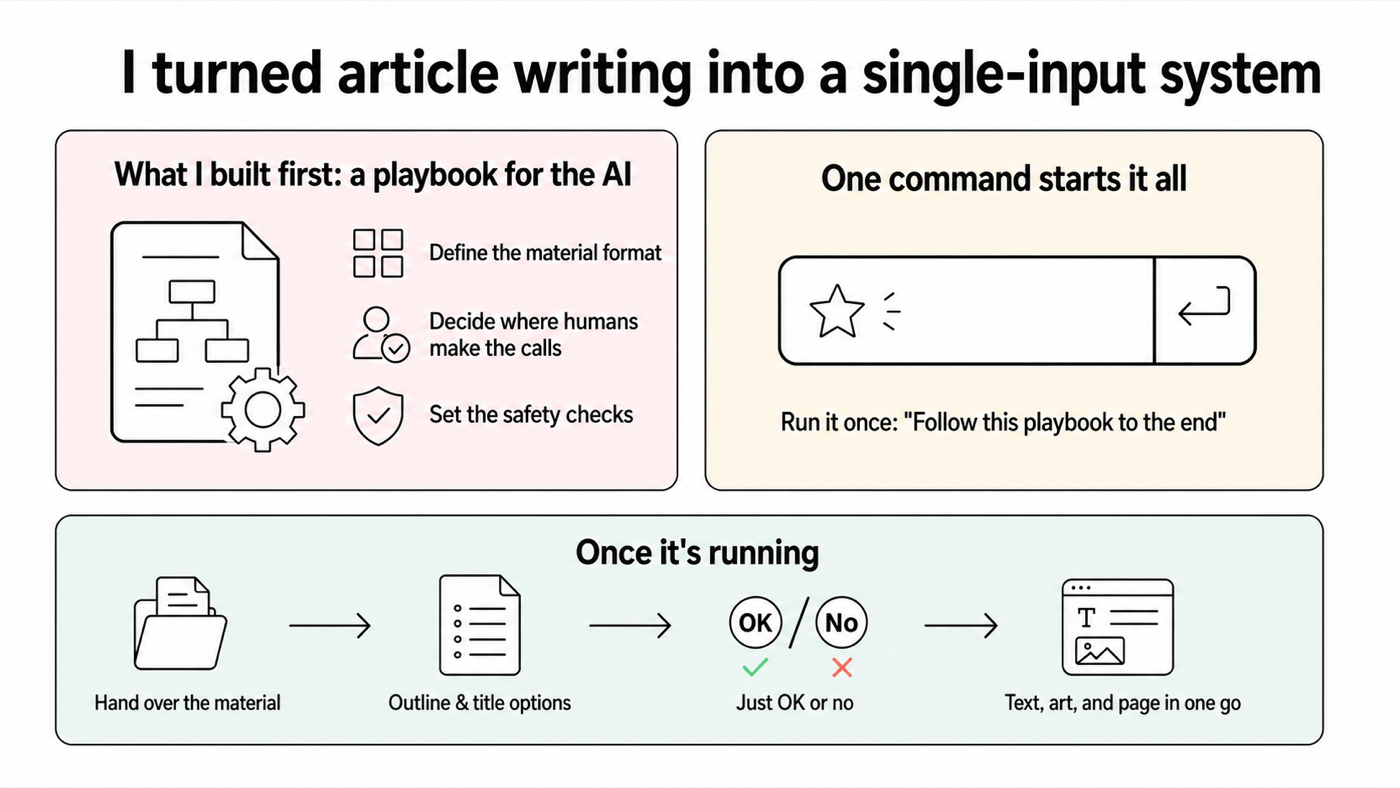
What I did was work with the AI to build a "playbook for making articles" ahead of time.
There's a huge amount to decide in advance. But once it's locked in as a formal procedure, all that's left is to run a single "custom command" — a canned call that says "follow this procedure from start to finish." After that kicks off, my job is to approve or reject the outlines the AI proposes — and when I reject, to spell out exactly what's off.
Within the illustration workflow, two AIs coordinate without going through me. I only review the final image.
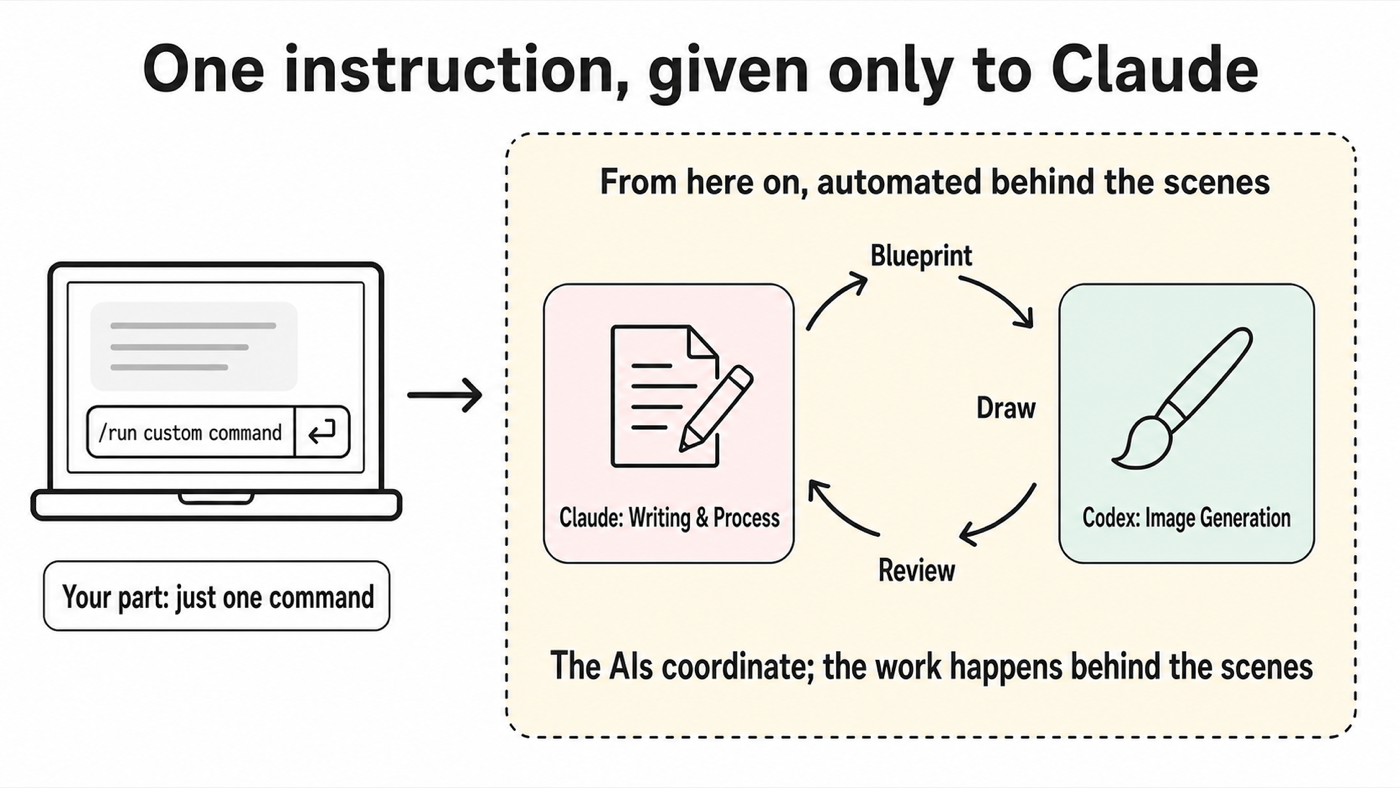
Inside this system, Claude (Claude Code) handles the writing and the process management, while Codex — strong at imagery — handles the illustrations. Claude drafts the blueprint for each illustration, Codex draws it, and Claude reviews it — and that loop runs without my involvement. All I do is take a final look at whether the image works.
Give the work each AI is good at to the AI that's good at it. The same principle used to staff a human team applies to a team of AIs.
02 — MEASUREMENT
9 decisions and sign-offs on the article itself. The hands-on work amounted to light edits to the text.
For this article, I logged every single point where the human (me) was involved. The interventions fall into two kinds: decisions and sign-offs on the article itself, and improvement requests aimed at the system behind it. This section counts the former — the latter shows up later, in the section on building the system.
03 — POSSIBILITY
Agentic AI executes the actual work inside your computer.
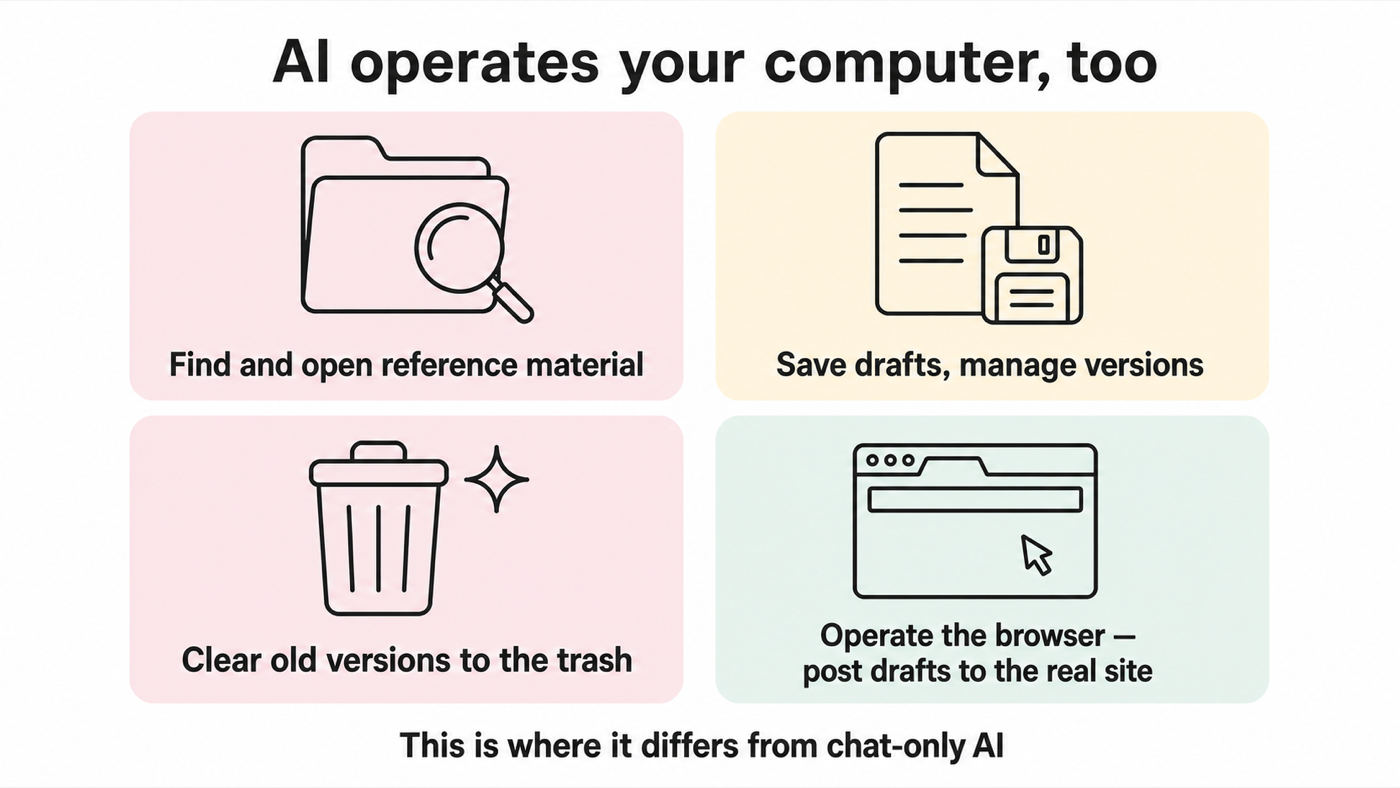
Most people tend to stop at chatting with AI — drafting text, talking through ideas, that sort of thing. But the agentic AI I use executes the actual work inside my computer. In this project, too —
All of that was the AI's job. In other words, any desk work shaped like "input → process → output" — putting together documents, summarizing research, translation, tidying up data — can be systematized with the same pattern. In fact, I used the same approach to analyze, write, and submit an English-language résumé in a single night.
04 — SETUP COST
The heavy part is the upfront design. Get past it, and every run after is fast.
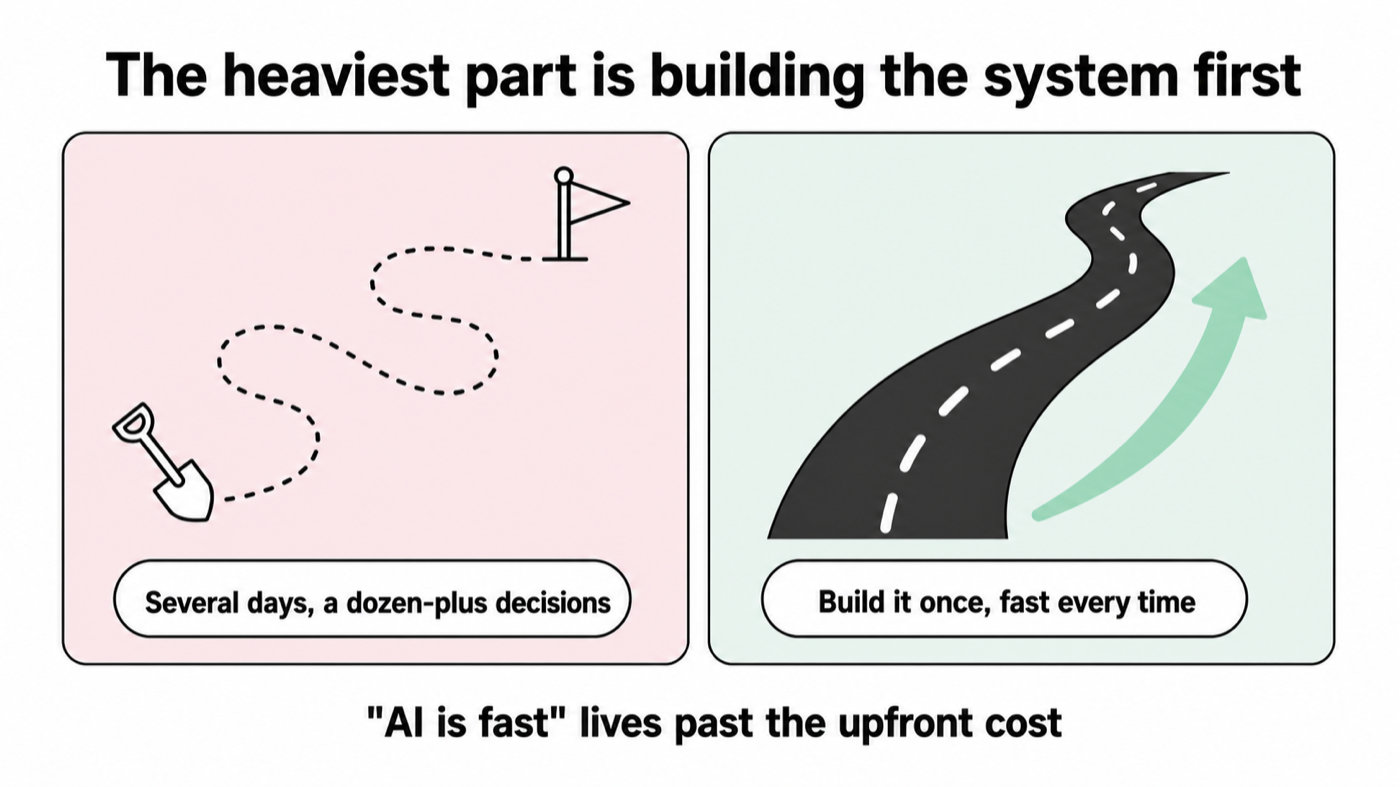
To be honest, while the step of writing the body was fast, the system-building beforehand took several days and more than a dozen decisions.
The log bears this out. Of all the human interventions in this production run, 24 were aimed not at the article but at the system — adding rules, fixing design standards, even redesigning how to count the interventions themselves.
Think of it like a road: paving it takes time. But once the road exists, driving on it is fast every time. "AI is fast," "AI can do it" — those claims live on the far side of paying this upfront cost.
05 — CONCLUSION
Rather than waiting for your company to adopt it, it's faster to learn by using the best available today, yourself.
The payoff is a product of two choices: which AI you pick, and how you build it into a system — that's what I took away from actually making this article.
AI is advancing genuinely fast, and more and more AIs are emerging that can take work you used to do with a keyboard and mouse and run it from start to finish off a single spoken instruction. Meanwhile, in many workplaces the range of AI tools employees are allowed to use is limited. Security and reputational concerns often dominate the discussion, and even when a tool does get adopted, it isn't necessarily the best one available right now.
That's exactly why using it on your own matters. As an individual, you can learn with the most advanced AI at this very moment.
It's precisely by using it that you get to know:
Rather than waiting for your company to adopt it, starting the trial and error with AI right now — and becoming one of the people who fully reaps its benefits — is an investment in your future self.
※ Views are my own and do not represent any organization I am affiliated with.